Errores frecuentes de SES y cómo solucionarlos
Qué significa cada tipo de rechazo de SES y los pasos exactos para solucionarlo.
Usuario, contraseña o Código Arrendador incorrectos
Este es el rechazo más habitual, y significa que el propio SES rechazó el inicio de sesión — no que Keyio fallara al enviar nada. Incluye mensajes como "usuario incorrecto", "contraseña incorrecta", respuestas HTTP 401/403, y un Código Arrendador que no existe en el sistema de SES.
Cada propiedad tiene su propio usuario, contraseña y Código Arrendador de SES, guardados en la pestaña SES de Editar propiedad — no es una cuenta única compartida por toda tu cartera. Si gestionas varias propiedades, comprueba que estás editando la que realmente está fallando, y vigila un espacio en blanco al final que quede al copiar y pegar la contraseña desde un correo o documento.
- 1Abre la propiedad afectada → Editar → pestaña SES.
- 2Vuelve a escribir (en lugar de pegar) el usuario y la contraseña.
- 3Haz clic en "Verificar credenciales" para probarlas directamente contra SES.
- 4Si sigue fallando, inicia sesión tú mismo en hospedajes.ses.mir.es (con Cl@ve o tu certificado digital — no con estas credenciales) y revisa el usuario y la contraseña del servicio web en tu configuración de servicios web, ya que son un par de credenciales distinto de tu acceso personal al portal.
El usuario y la contraseña configurados aquí son los del servicio web de SES (API SOAP) — un par de credenciales distinto de tu acceso personal al portal hospedajes.ses.mir.es, que usa Cl@ve o certificado digital, no un usuario/contraseña que puedas probar iniciando sesión directamente.
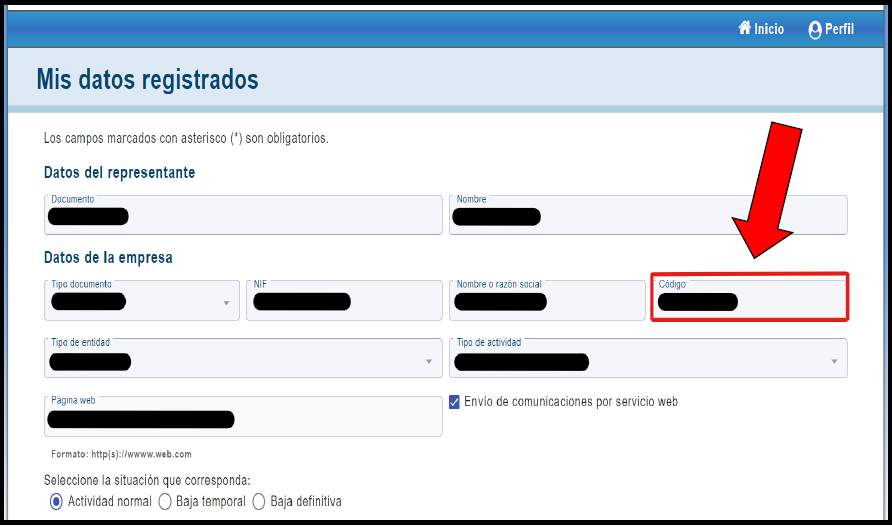
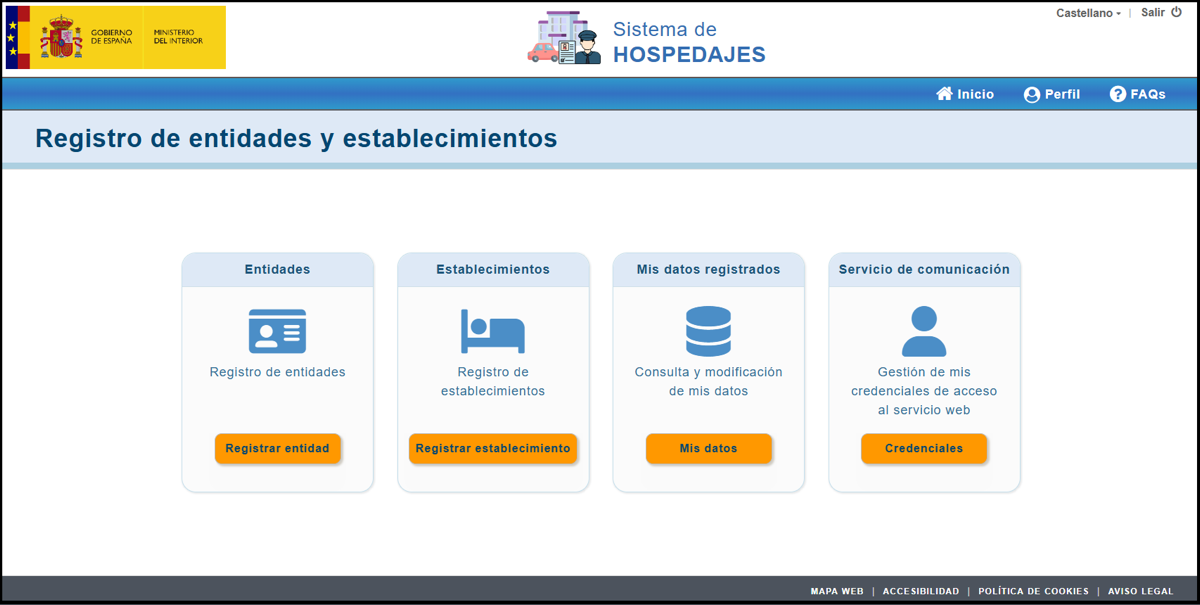
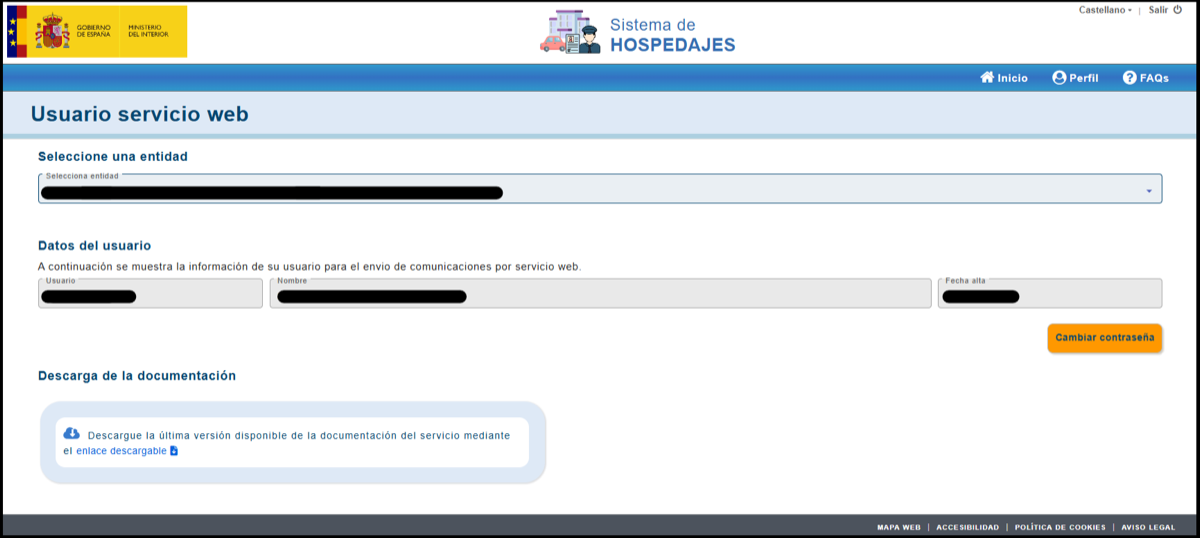
SES dice que el servicio web no está activado
Aparece como el error de SES -1 o 10120, a menudo con un fallo SOAP en bruto que dice "el usuario no tiene permisos para ejecutar servicios web". Significa que el inicio de sesión de tu cuenta SES funciona, pero el Ministerio del Interior todavía no le ha concedido permiso para recibir envíos automatizados — es un estado del propio sistema de SES, no un fallo de Keyio.
Activar "Acceso a Servicios Web" en hospedajes.ses.mir.es puede tardar horas en aplicarse realmente en su sistema, aunque su portal lo muestre como activo de inmediato. Si gestionas más de un establecimiento, este permiso se concede por Código de Establecimiento — activarlo para una propiedad no lo activa para otra.
Usa "Verificar credenciales" en la pestaña SES de la propiedad unas horas después de activarlo. Si sigue fallando con este mismo error, inicia sesión directamente en hospedajes.ses.mir.es y comprueba el estado del servicio web en tu perfil.
Los datos de un huésped no cumplen el formato de SES
Estos errores (códigos como 10118, 10121, 10130, 10131) significan que SES aceptó el inicio de sesión y entendió el envío, pero rechazó uno o varios registros de huéspedes porque un campo no cumple sus requisitos — falta el número de soporte del documento, un municipio no válido, un valor demasiado largo, o un carácter que SES no acepta. Keyio comprueba los datos del huésped contra los requisitos de SES antes de dejarte enviarlos, así que esto debería ser poco frecuente — normalmente significa que un caso límite se ha escapado a esa comprobación previa, no que hayas hecho algo mal.
La línea de detalle que aparece bajo el error indica el campo y el huésped exactos — corrige el registro de ese huésped (desde la lista de huéspedes de la reserva) en lugar de algo en los ajustes SES de la propiedad, y vuelve a enviar.
El resto: errores internos o de conexión
Un grupo más pequeño de errores (códigos en el rango 101xx-1018x, el código 10999, y fallos de conexión genéricos) proviene de la infraestructura del propio SES, no de tus credenciales ni de los datos del huésped — una solicitud mal formada, una caída temporal, o una respuesta inesperada.
Normalmente no hay nada que corregir por tu parte. Prueba a reenviarlo en unos minutos; si sigue fallando, contacta con el soporte de Keyio indicando el enlace de la reserva y el texto exacto del error para que podamos investigarlo.