Setup guide
Mossos guest registration (registre de viatgers)
The registre de viatgers is the guest register of the Mossos d'Esquadra, Cataluña's regional police. Mandatory for all tourist accommodations in Cataluña: guests here are reported to the Mossos, not to SES.HOSPEDAJES. Keyio generates the TXT file — you upload it to the Mossos portal. Expand each step to see detailed instructions with screenshots of the official portal.
Unlike SES.HOSPEDAJES, Keyio does not send the report to the Mossos: it generates a TXT file in the official format and you upload it to their portal, which takes individual forms or bulk files. The filename follows the pattern <ID_Policial>.<sequence>.txt (e.g. TD50000043.001.txt).
How do you comply with the Mossos guest register and the tourist tax without doing it all by hand?
With Keyio the guest fills in their details from a link, and Keyio validates them, generates the Mossos file and estimates the tourist tax (IEET) for each stay. Two steps stay with you: uploading the file to the Mossos portal within 24 hours of arrival, and filing and paying the IEET to the Catalan Tax Agency (ATC).
| Task | What Keyio does | What you do |
|---|---|---|
| Collecting the guests' details | One link per booking: the guest fills them in on their phone or scans their ID | Send the link, or schedule it to go out by itself before arrival |
| Checking the details | Checks the required fields before generating the file and flags what is missing | Complete what it flags |
| Preparing the file | Generates the TXT with the official format and name, and keeps the sequence | Download it |
| Reporting to the Mossos | Does not send it: you upload the file | Upload it to the portal within 24 hours of arrival and download the receipt |
| Working out the tourist tax (IEET) | Estimates it per stay, from the category, the guests, the 7-night cap and the municipal surcharge | Check it with your tax adviser |
| Filing and paying the IEET | Does not file it | Declare it to the ATC (forms 950, 940 or 920) from 1 to 20 April and from 1 to 20 October |
Rates, the night cap and surcharges are in the Catalonia tourist tax guide. If you want the Mossos report filed by itself, some programs advertise it: see them in this comparison of guest registration software.
1. Register with Mossos
You only need to do this once per establishment.
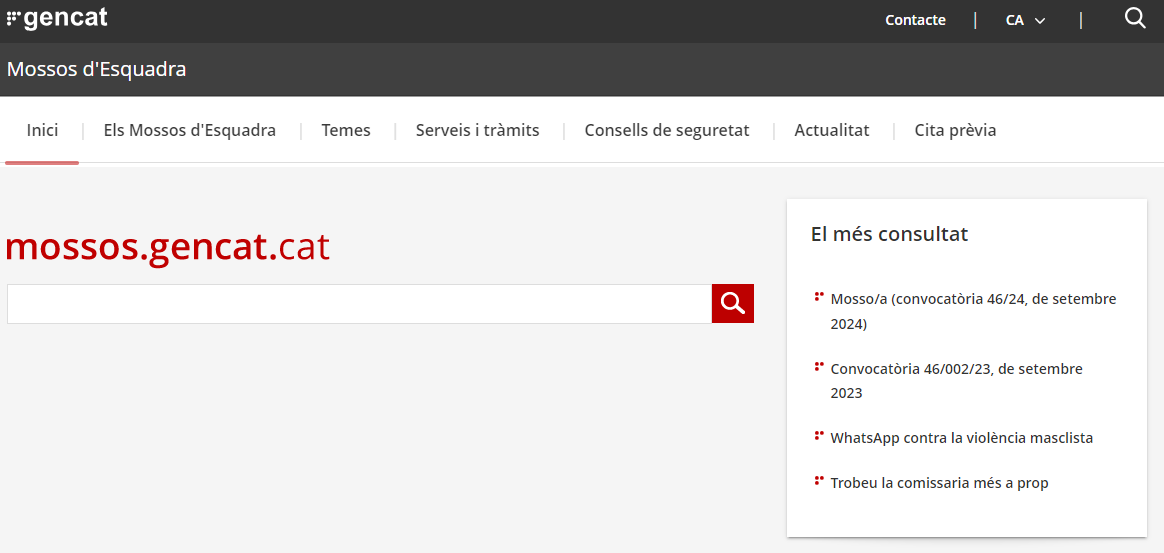
Access the Mossos traveller registration websitemossos.gencat.cat → Serveis i tràmits.See step-by-step
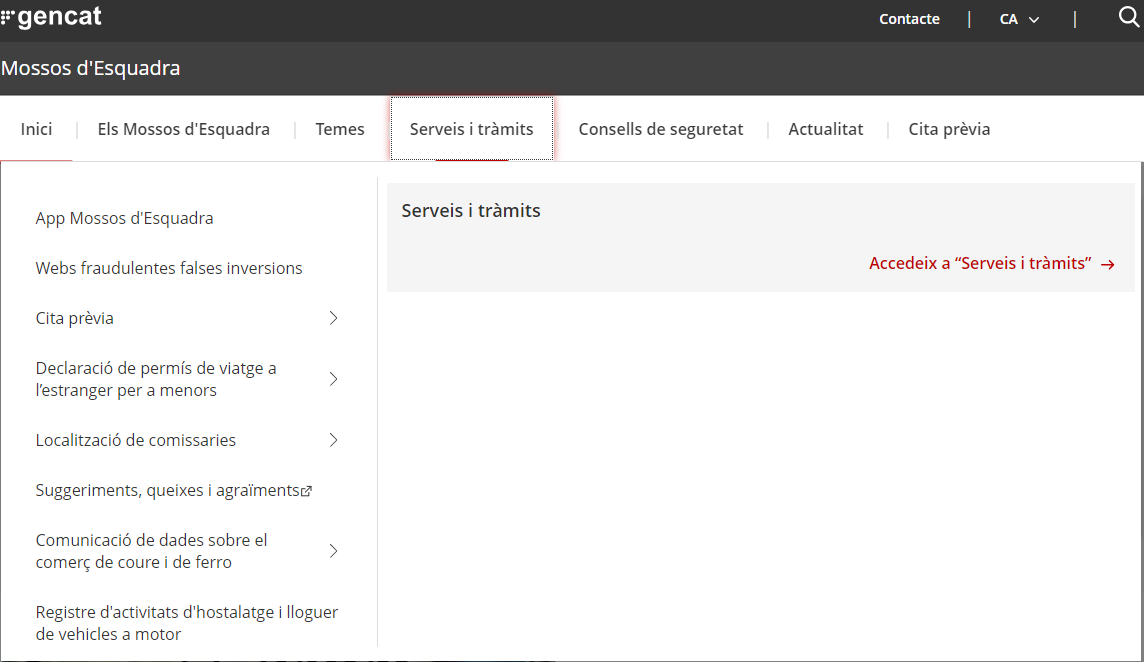
Go to mossos.gencat.cat and open the "Serveis i tràmits" menu.
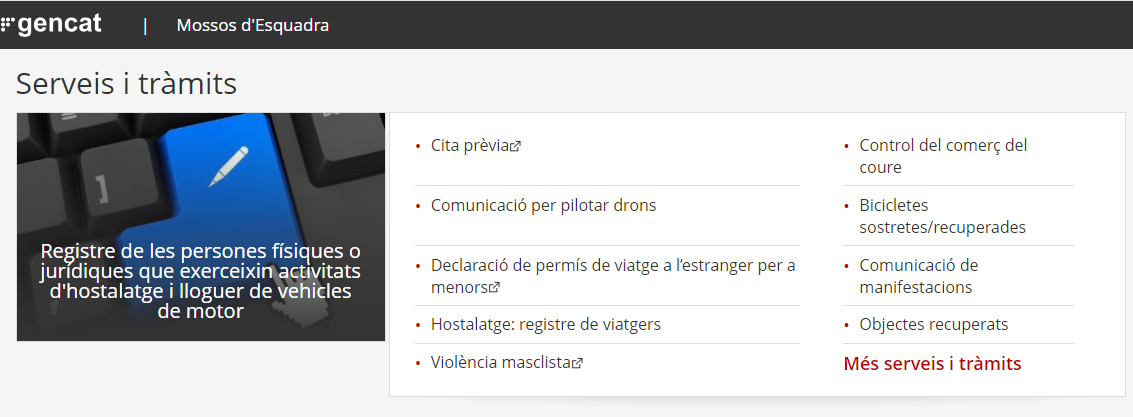
Select "Registre d'activitats d'hostalatge i lloguer de vehicles a motor" (also listed as "Hostalatge: registre de viatgers") and then the "Registre de viatgers d'establiments d'hostalatge" option.
Register your establishment (PI-15 form)Fill in the PI-15, sign it, and submit it online with the documentation.See step-by-step
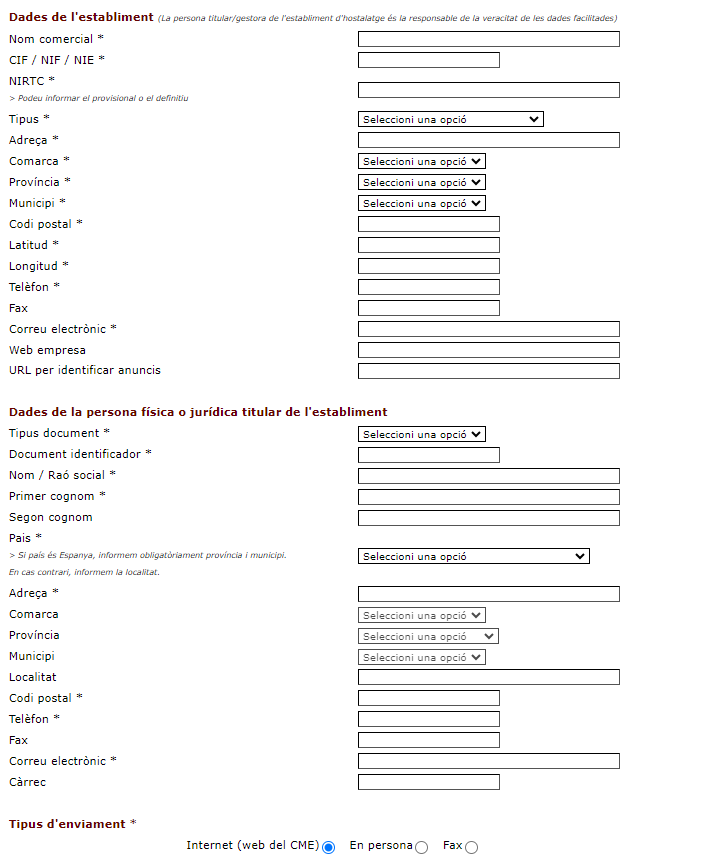
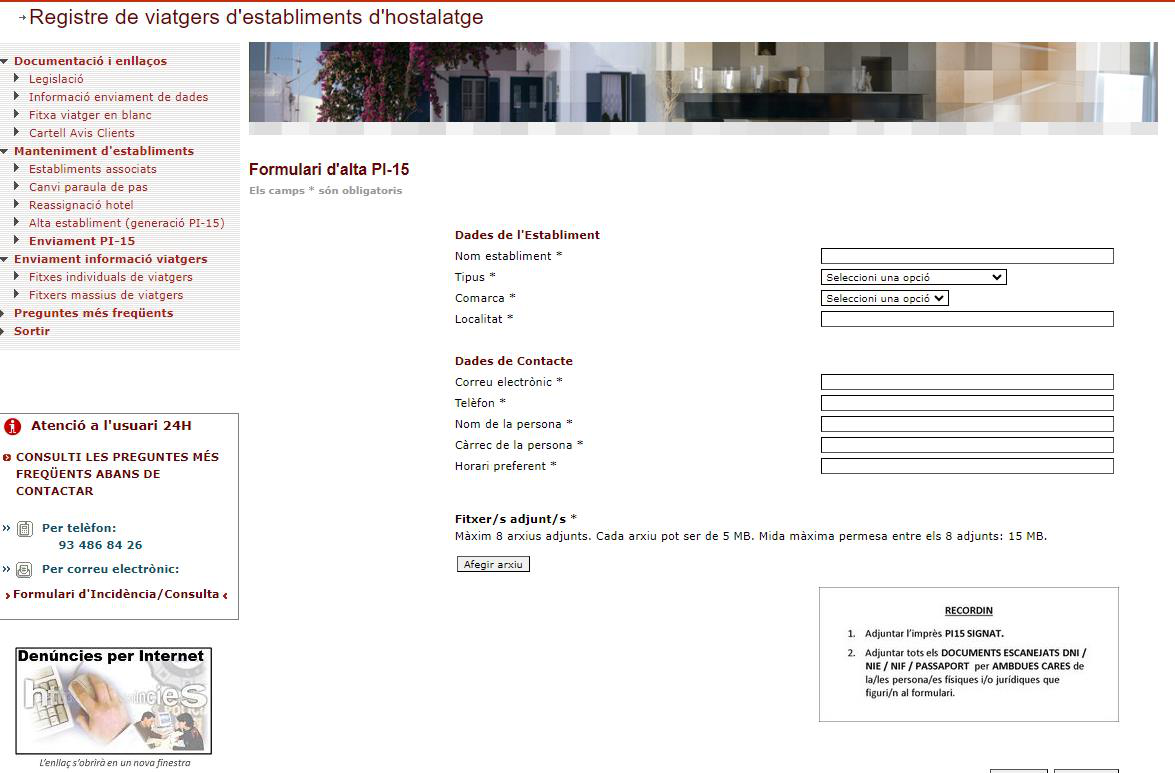
In the side menu, choose "Alta establiment (generació PI-15)" and fill in the registration form (only the fax and the managing person's data are optional). When generated, the system gives you a pre-registration number: print and sign it.
Then open "Enviament PI-15" and attach the signed PI-15 as PDF together with the scanned DNI / NIE / NIF / Passport (both sides) of everyone listed on the form. Up to 8 files of 5 MB each (15 MB total).
Important: also attach the Town Hall licence or the Cataluña Tourism Registry number — it's required to verify the licence.
If both the owner and a manager (e.g. an agency) will report guests for the same establishment, each one must register separately with their own user code.
Wait for approval and receive your access credentialsThe Regional Administrative Police Unit (URPA) will give you the username and password.See step-by-step
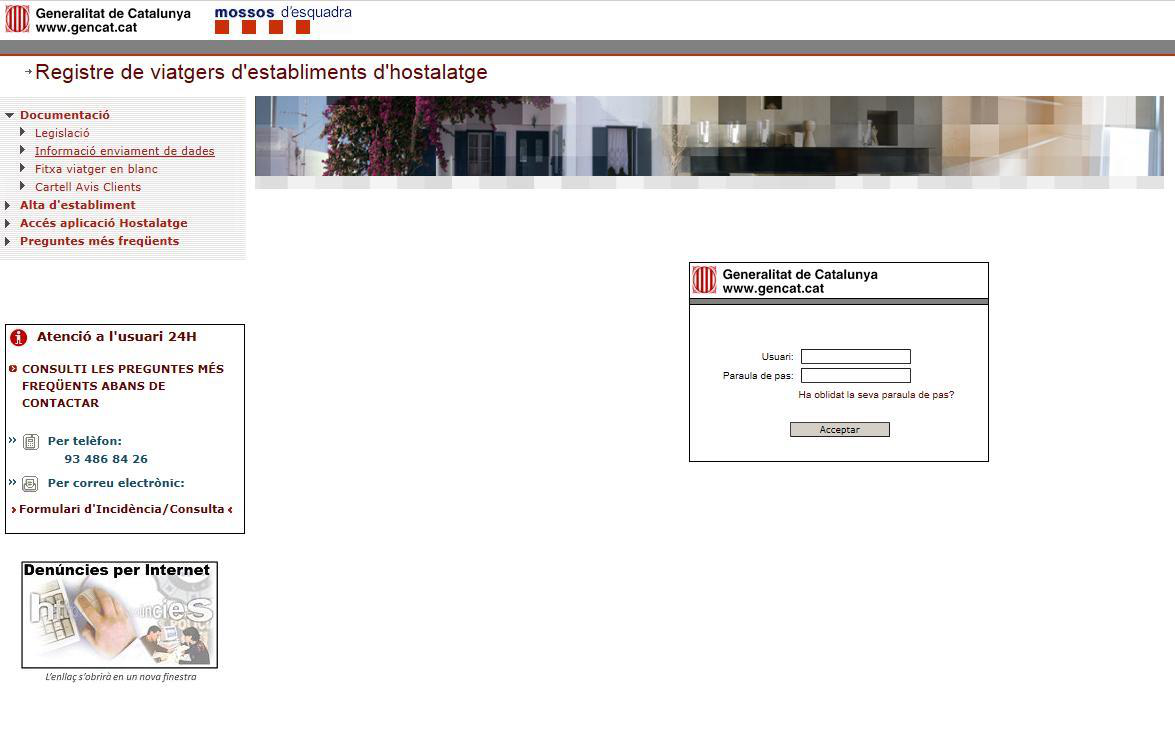
After sending the documentation you'll see a confirmation message. The URPA will contact the establishment to give you the website access credentials.
On first login you must change the password. It doesn't expire, but more than three failed attempts will lock your access.
To recover it, use "Ha oblidat la seva paraula de pas?" on the login screen: enter your user code (the establishment's police identifier) and the contact email from the PI-15, and a new one will be emailed to you.
Find your ID Policial and set file-based submissionIt's the code you'll enter in Keyio.See step-by-step
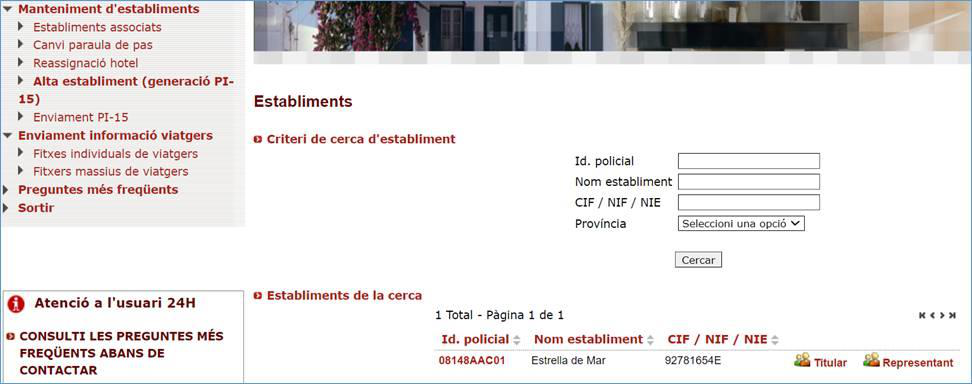
Log in and go to "Manteniment d'establiments" → "Establiments associats". The "Id. policial" column shows your establishment code (e.g. 08148AAC01).
From that same screen you can change the application language and the submission type. Select "Fitxers massius de viatgers" as the submission type: it's the file format Keyio generates, and the site will take you straight to the upload screen.
Rather have it done for you?
Guests fill in their details on their phone, Keyio checks them against the Mossos' rules and gives you the TXT file ready to upload, with nothing to type on the portal.
Cumplimiento plan: €0.99 per property per month billed annually (€1.25 billed monthly), VAT included. 30 days free, no card.
2. Configure Keyio
Only the ID Policial is required.
Field reference
ID PolicialCode assigned by Mossos (9-10 characters, e.g. TD50000043). Visible under "Establiments associats".Establishment nameOptional. Maximum 40 characters. If not set, Keyio uses the property name.File sequenceAutomatic. Starts at 1, increments to 999, then resets. Keyio manages this automatically.3. Guest data
Keyio takes care of collecting and validating each guest's data.
Keyio collects and validates all the data
Keyio asks for exactly the fields Mossos requires — including the extras beyond SES, such as check-in/out times or the traveller's address — and validates the mandatory ones before generating the file. Anything missing is highlighted in red.
Share the registration link with your guests
Each rental has a guest registration URL you can send to your guests so they complete their data before arrival.
Manual entry or document scan
Both the guest and the landlord can enter the data manually or scan the DNI/passport to fill it in automatically.
4. Generate and upload the file
Download the TXT from Keyio and upload it to the Mossos portal.
Keyio generates the TXT file with the correct name (e.g. TD50000043.001.txt)The filename includes your ID Policial and sequence number. Mossos rejects files with incorrect names.See step-by-step
The file includes the establishment data and only the new guests: check-ins must be reported within 24 hours of arrival, and guests already reported in previous uploads must not be included again.
The name follows the pattern <ID_Policial>.<sequence>.txt. The sequence starts at 001, goes up to 999 and restarts at 001. Keyio computes all of this automatically on each download.
Upload the file to the Mossos d'Esquadra portal"Enviament informació viatgers" menu → "Fitxers massius de viatgers".See step-by-step
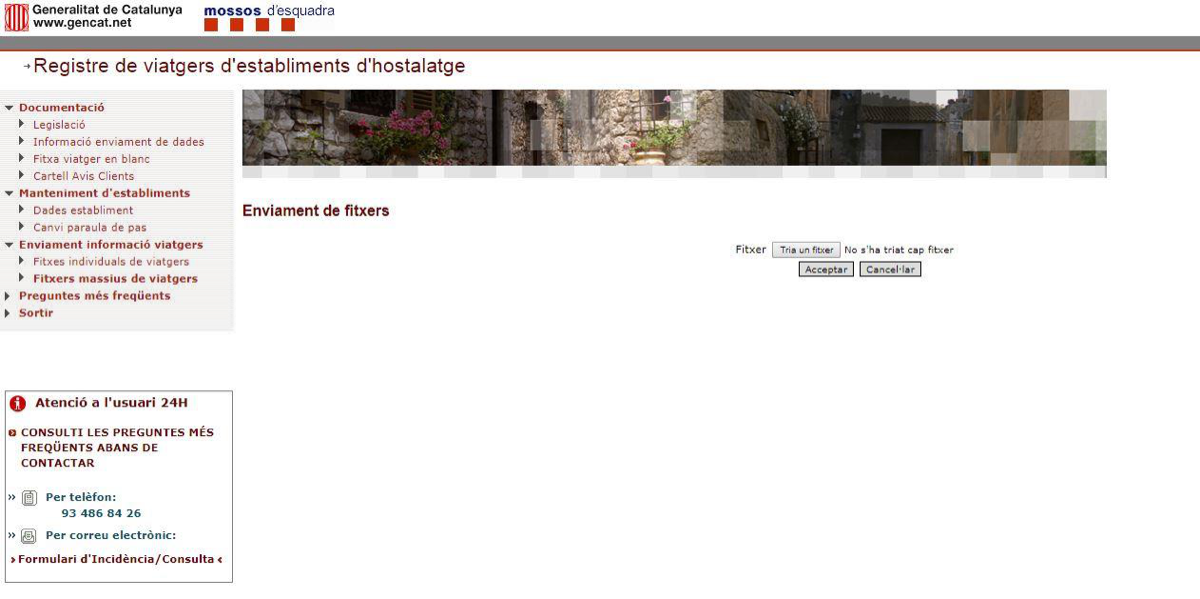
Log in with your username and password and go to "Enviament informació viatgers" → "Fitxers massius de viatgers".
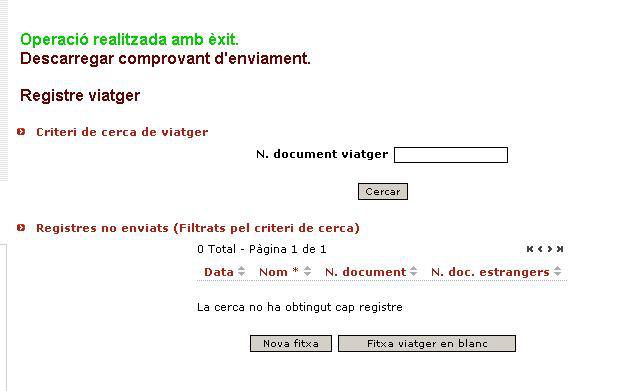
Click "Tria un fitxer", select the TXT downloaded from Keyio and click "Acceptar". The application validates the format automatically: if there are errors, it shows you the list to fix them.
If everything is correct you'll see "Operació realitzada amb èxit". Download the submission receipt: the Mossos website keeps no history of communications, so it is all you keep of the submission. The official manual warns that it does not count as a register.
File name
TD50000043.001.txtID_Policial.sequence.txt
Auto sequence
Keyio increments the counter on each download. If you cancel without uploading, you can regenerate with the same number.
Frequently asked questions
In Catalonia, do I also have to report guests to SES.HOSPEDAJES?
No. According to the Directorate General of Police's note of December 2022, the data are those of Royal Decree 933/2021, but they are still reported to the Mossos d'Esquadra through their own platform, which is interconnected with the Ministry's.
What is the deadline for reporting guests to the Mossos?
The 24 hours after each person's stay begins. It applies to private owners and professionals alike. You only send new guests, not those you have already reported.
Does Keyio file the report with the Mossos automatically?
No. Keyio gets the file ready and you upload it to the Mossos portal, under "Fitxers massius de viatgers". Keyio files directly with SES.HOSPEDAJES and the Ertzaintza, not with the Mossos.
How do I prove I sent the file?
Download the receipt when the portal says "Operació realitzada amb èxit": the Mossos website keeps no history of what was sent. The official manual warns that the receipt does not count as a register, so it does not replace the data you have to keep.
Who files the Catalan tourist tax?
The owner of the establishment, who has first charged it to the guests. It is filed with the ATC twice a year: from 1 to 20 April and from 1 to 20 October. Keyio only estimates it, and the figure is a guide: check it with your tax adviser.